Quiz PCEP-30-02: Python Institute PCEP - Certified Entry-Level Python Programmer
Quiz
Quiz
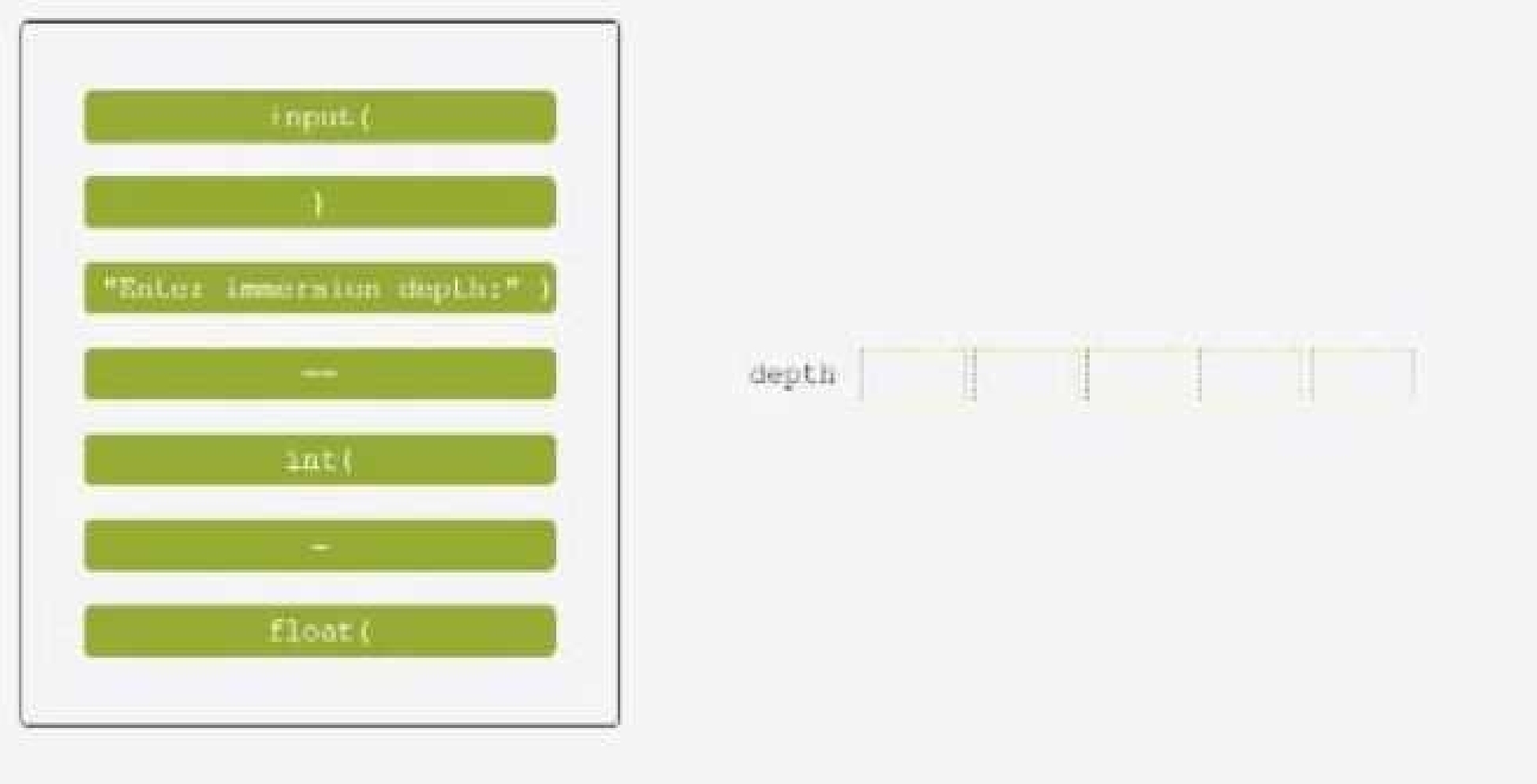
Insert the code boxes in the correct positions in order to build a line of code which asks the user for
an integer value and assigns it to the depth variable.
(Note: some code boxes will not be used.)
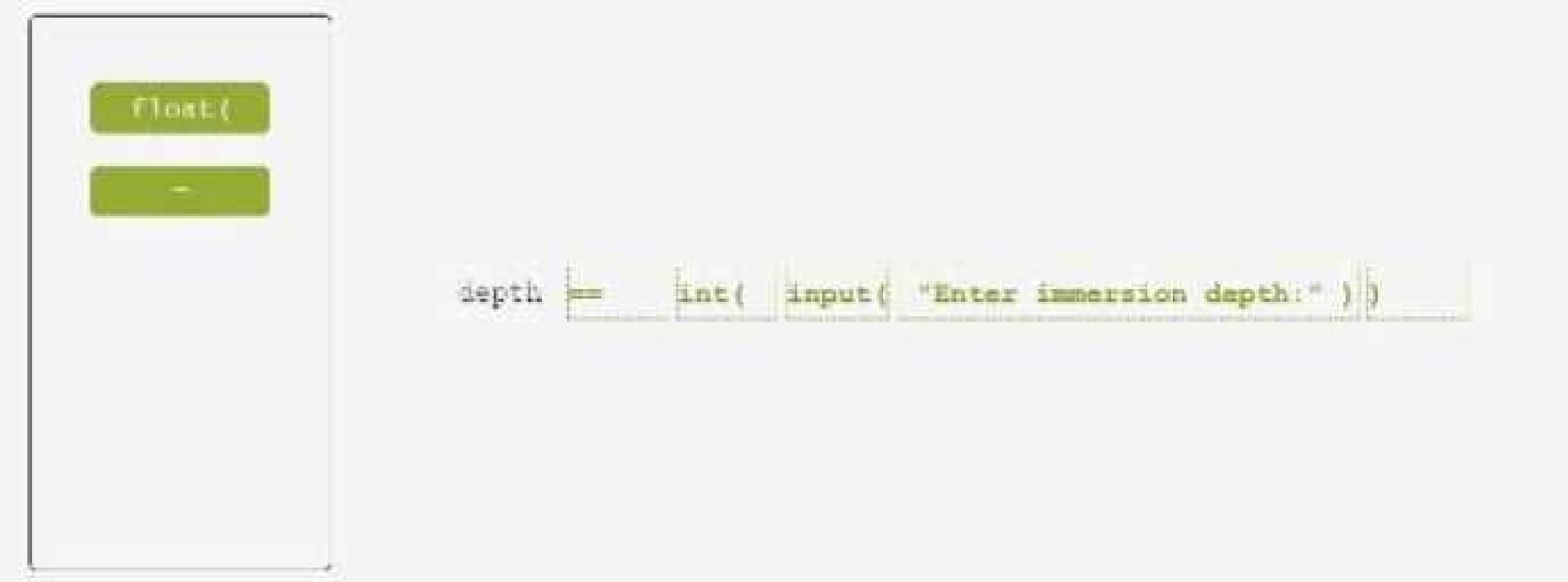
One possible way to insert the code boxes in the correct positions in order to build a line of code
which asks the user for an integer value and assigns it to the depth variable is:
depth = int(input("Enter the immersion depth: "))
This line of code uses the input function to prompt the user for a string value, and then uses the int
function to convert that string value into an integer number. The result is then assigned to the
variable depth.
You can find more information about the input and int functions in Python in the following
references:
[Python input() Function]
[Python int() Function]
Quiz
Arrange the binary numeric operators in the order which reflects their priorities, where the top-most
position has the highest priority and the bottom-most position has the lowest priority.

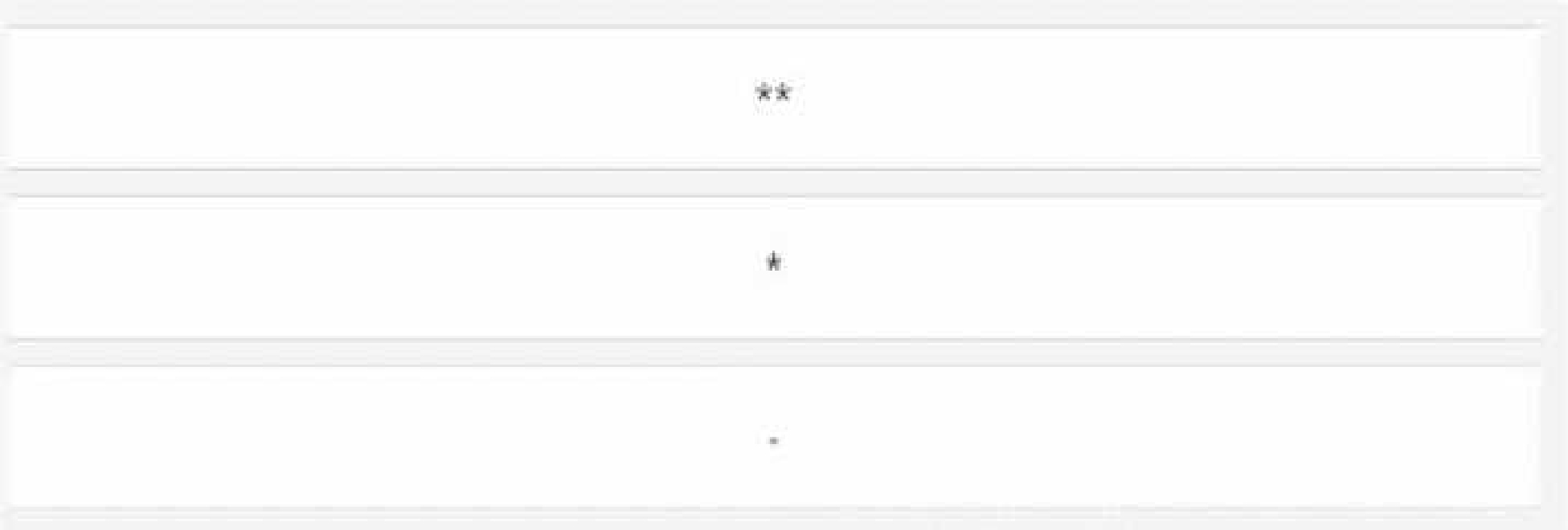
The correct order of the binary numeric operators in Python according to their priorities is:
Exponentiation (**)
Multiplication (*) and Division (/, //, %)
Addition (+) and Subtraction (-)
This order follows the standard mathematical convention of operator precedence, which can be
remembered by the acronym PEMDAS (Parentheses, Exponents, Multiplication/Division,
Addition/Subtraction). Operators with higher precedence are evaluated before those with lower
precedence, but operators with the same precedence are evaluated from left to right. Parentheses
can be used to change the order of evaluation by grouping expressions.
For example, in the expression 2 + 3 * 4 ** 2, the exponentiation operator (**) has the highest
priority, so it is evaluated first, resulting in 2 + 3 * 16. Then, the multiplication operator (*) has the
next highest priority, so it is evaluated next, resulting in 2 + 48. Finally, the addition operator (+) has
the lowest priority, so it is evaluated last, resulting in 50.
You can find more information about the operator precedence in Python in the following references:
6. Expressions — Python 3.11.5 documentation
Precedence and Associativity of Operators in Python - Programiz
Python Operator Priority or Precedence Examples Tutorial
Quiz
Quiz
Insert the code boxes in the correct positions in order to build a line of code which asks the user for a
float value and assigns it to the mass variable.
(Note: some code boxes will not be used.)
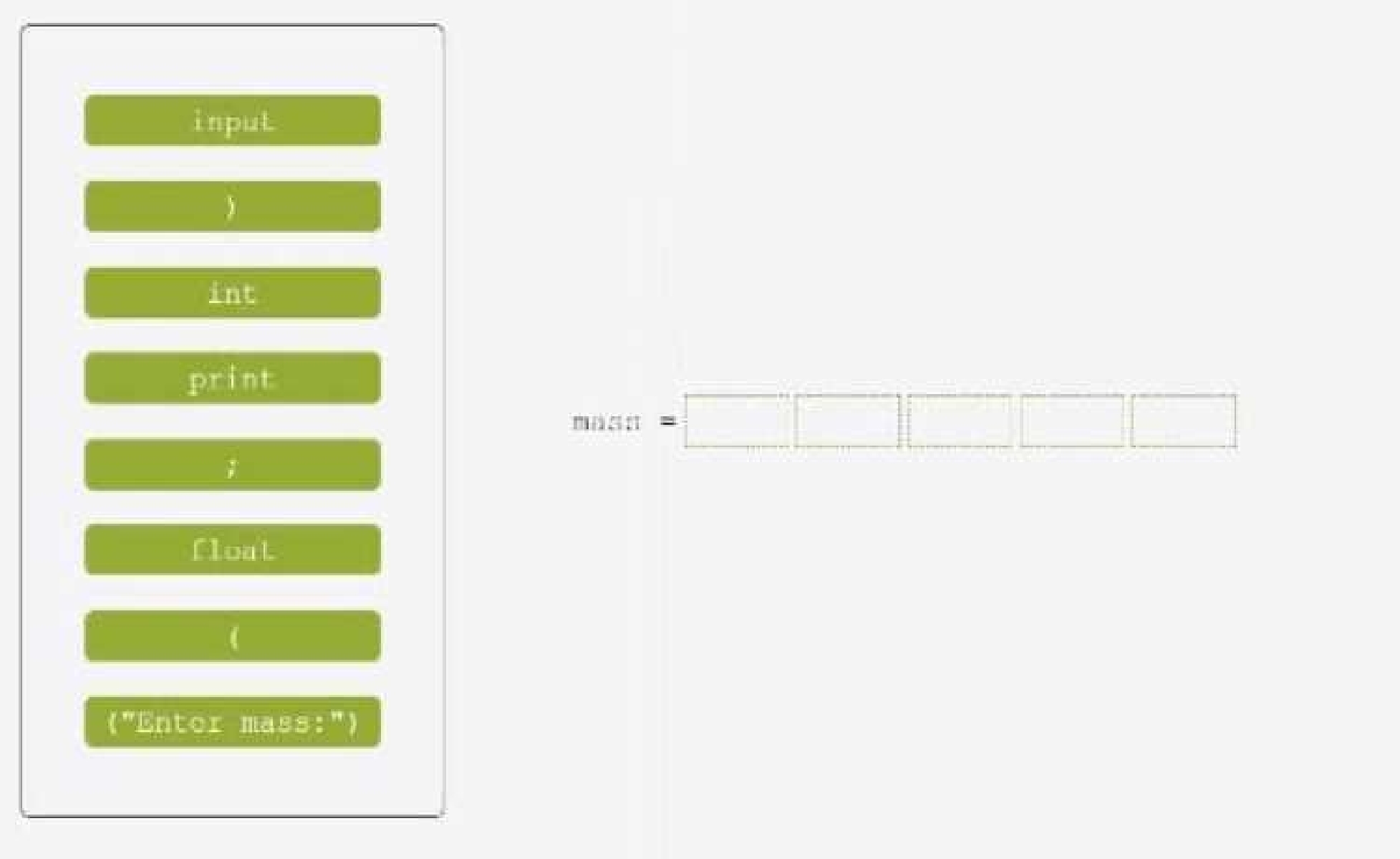
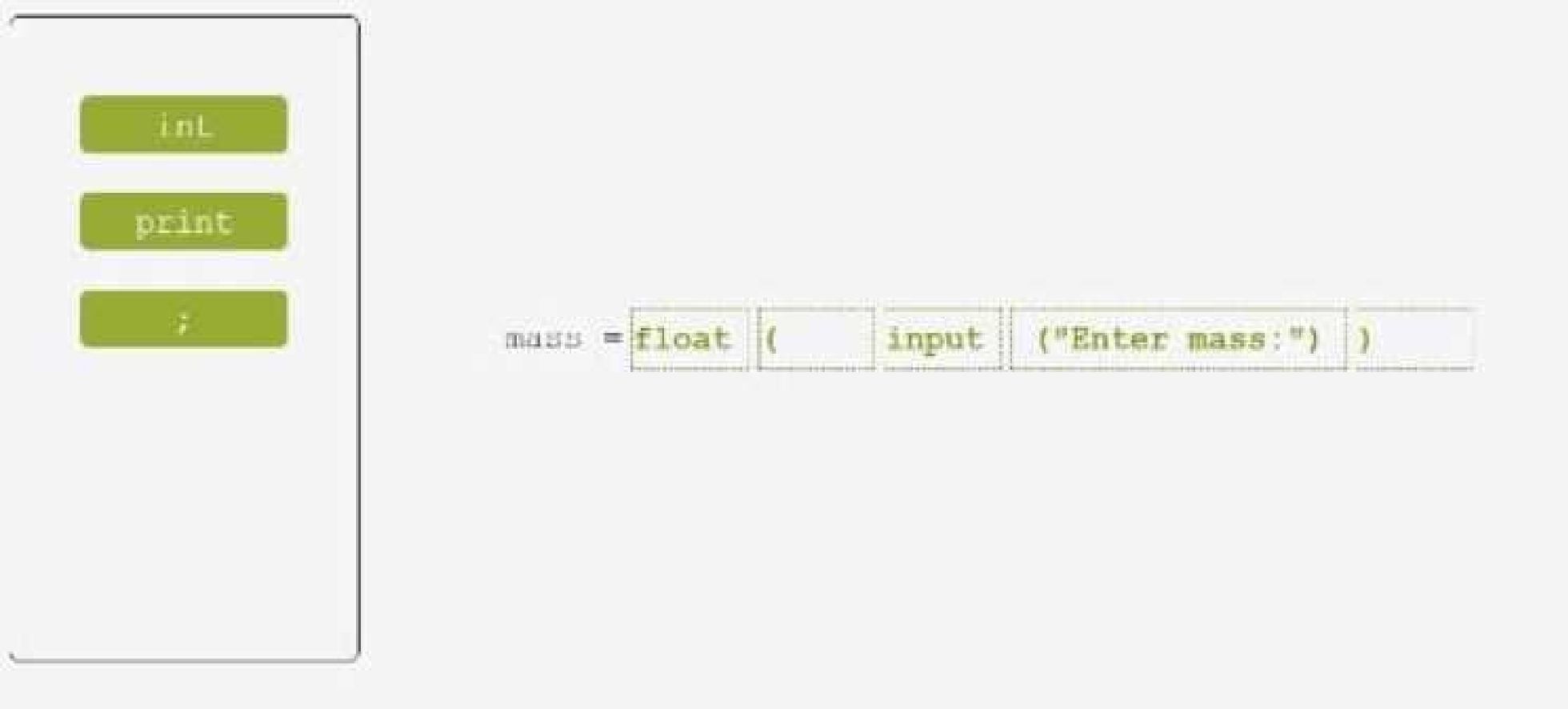
One possible way to insert the code boxes in the correct positions in order to build a line of code that
asks the user for a float value and assigns it to the mass variable is:
mass = float(input("Enter the mass: "))
This line of code uses the input function to prompt the user for a string value, and then uses
the float function to convert that string value into a floating-point number. The result is then assigned
to the variable mass.
You can find more information about the input and float functions in Python in the following
references:
[Python input() Function]
[Python float() Function]
Quiz
Quiz
Drag and drop the literals to match their data type names.
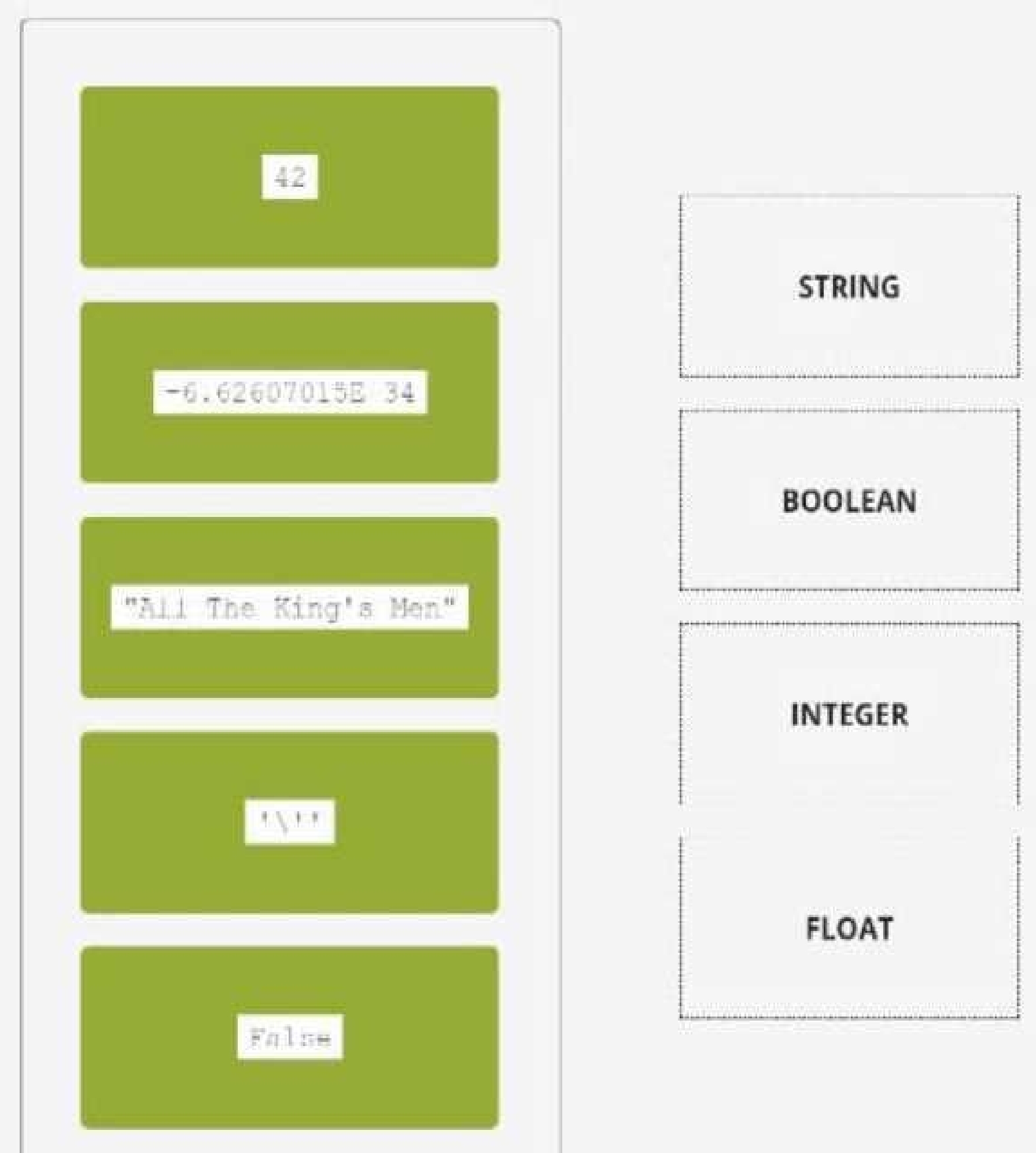
STRING: “All The King’s Men”
BOOLEAN: False
INTEGER: 42
FLOAT: -6.62607015E-34
A literal is a value that is written exactly as it is meant to be interpreted by the Python interpreter. A
data type is a category of values that share some common characteristics or operations. Python has
four basic data types: string, boolean, integer, and float.
A string is a sequence of characters enclosed by either single or double quotes. A string can represent
text, symbols, or any other information that can be displayed as text. For example, “All The King’s
Men” is a string literal that represents the title of a novel.
A boolean is a logical value that can be either True or False. A boolean can represent the result of a
comparison, a condition, or a logical operation. For example, False is a boolean literal that represents
the opposite of True.
An integer is a whole number that can be positive, negative, or zero. An integer can represent a
count, an index, or any other quantity that does not require fractions or decimals. For example, 42 is
an integer literal that represents the answer to life, the universe, and everything.
A float is a number that can have a fractional part after the decimal point. A float can represent a
measurement, a ratio, or any other quantity that requires precision or approximation. For example, -
6.62607015E-34 is a float literal that represents the Planck constant in scientific notation.
You can find more information about the literals and data types in Python in the following references:
[Python Data Types]
[Python Literals]
[Python Basic Syntax]
Quiz
Quiz
Drag and drop the conditional expressions to obtain a code which outputs * to the screen.
(Note: some code boxes will not be used.)
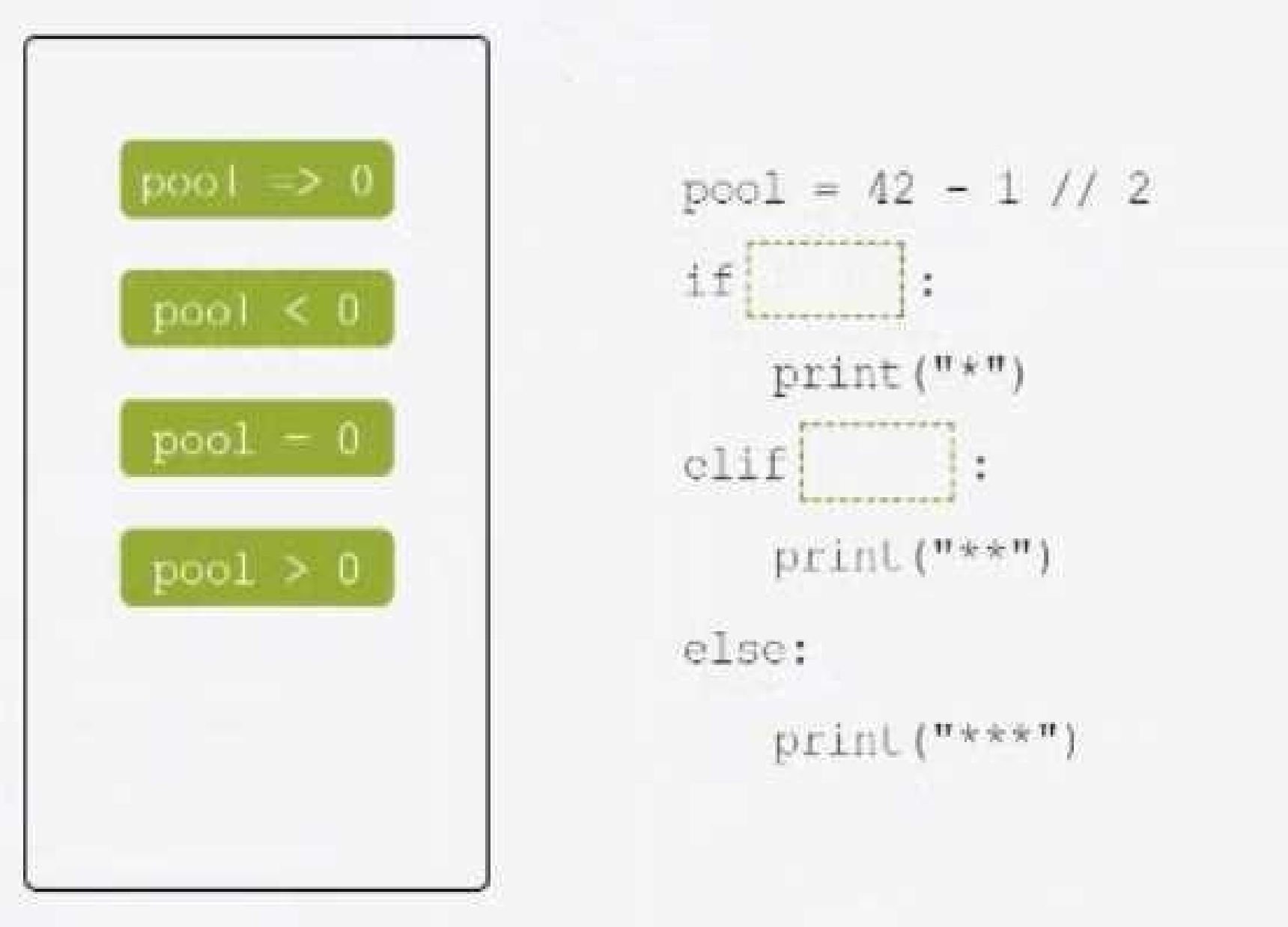
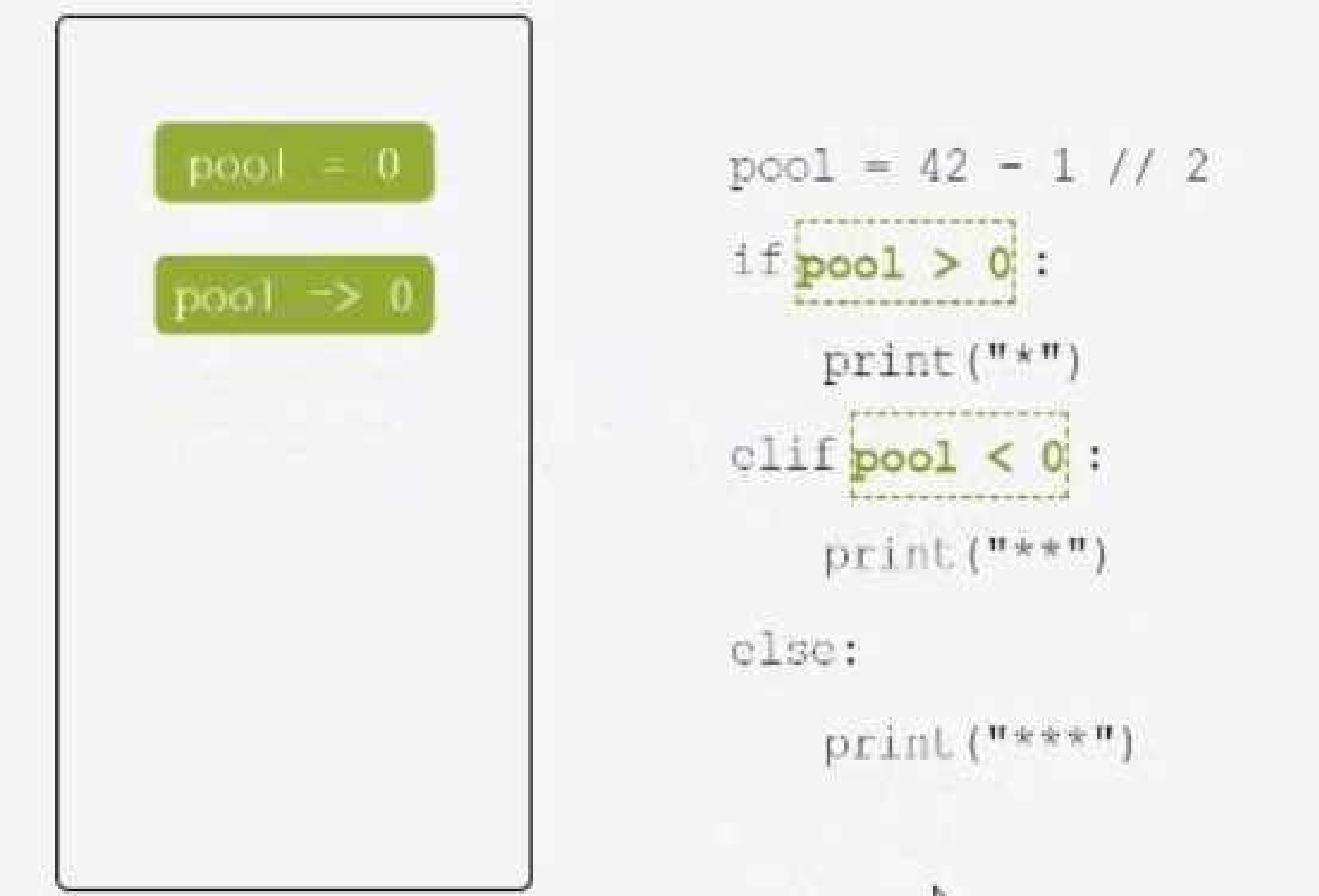
One possible way to drag and drop the conditional expressions to obtain a code which outputs * to
the screen is:
if pool > 0:
print("*")
elif pool < 0:
print("**")
else:
print("***")
This code uses the if, elif, and else keywords to create a conditional statement that checks the value
of the variable pool. Depending on whether the value is greater than, less than, or equal to zero, the
code will print a different pattern of asterisks to the screen. The print function is used to display the
output. The code is indented to show the blocks of code that belong to each condition. The code will
output * if the value of pool is positive, ** if the value of pool is negative, and *** if the value
of pool is zero.
You can find more information about the conditional statements and the print function in Python in
the following references:
[Python If … Else]
[Python Print Function]
[Python Basic Syntax]
Quiz
PCEP-30-02: Python Institute PCEP - Certified Entry-Level Python Programmer Practice test unlocks all online simulator questions
Thank you for choosing the free version of the PCEP-30-02: Python Institute PCEP - Certified Entry-Level Python Programmer practice test! Further deepen your knowledge on Python Institute Simulator; by unlocking the full version of our PCEP-30-02: Python Institute PCEP - Certified Entry-Level Python Programmer Simulator you will be able to take tests with over 30 constantly updated questions and easily pass your exam. 98% of people pass the exam in the first attempt after preparing with our 30 questions.
BUY NOWWhat to expect from our PCEP-30-02: Python Institute PCEP - Certified Entry-Level Python Programmer practice tests and how to prepare for any exam?
The PCEP-30-02: Python Institute PCEP - Certified Entry-Level Python Programmer Simulator Practice Tests are part of the Python Institute Database and are the best way to prepare for any PCEP-30-02: Python Institute PCEP - Certified Entry-Level Python Programmer exam. The PCEP-30-02: Python Institute PCEP - Certified Entry-Level Python Programmer practice tests consist of 30 questions and are written by experts to help you and prepare you to pass the exam on the first attempt. The PCEP-30-02: Python Institute PCEP - Certified Entry-Level Python Programmer database includes questions from previous and other exams, which means you will be able to practice simulating past and future questions. Preparation with PCEP-30-02: Python Institute PCEP - Certified Entry-Level Python Programmer Simulator will also give you an idea of the time it will take to complete each section of the PCEP-30-02: Python Institute PCEP - Certified Entry-Level Python Programmer practice test . It is important to note that the PCEP-30-02: Python Institute PCEP - Certified Entry-Level Python Programmer Simulator does not replace the classic PCEP-30-02: Python Institute PCEP - Certified Entry-Level Python Programmer study guides; however, the Simulator provides valuable insights into what to expect and how much work needs to be done to prepare for the PCEP-30-02: Python Institute PCEP - Certified Entry-Level Python Programmer exam.
BUY NOWPCEP-30-02: Python Institute PCEP - Certified Entry-Level Python Programmer Practice test therefore represents an excellent tool to prepare for the actual exam together with our Python Institute practice test . Our PCEP-30-02: Python Institute PCEP - Certified Entry-Level Python Programmer Simulator will help you assess your level of preparation and understand your strengths and weaknesses. Below you can read all the quizzes you will find in our PCEP-30-02: Python Institute PCEP - Certified Entry-Level Python Programmer Simulator and how our unique PCEP-30-02: Python Institute PCEP - Certified Entry-Level Python Programmer Database made up of real questions:
Info quiz:
- Quiz name:PCEP-30-02: Python Institute PCEP - Certified Entry-Level Python Programmer
- Total number of questions:30
- Number of questions for the test:50
- Pass score:80%
You can prepare for the PCEP-30-02: Python Institute PCEP - Certified Entry-Level Python Programmer exams with our mobile app. It is very easy to use and even works offline in case of network failure, with all the functions you need to study and practice with our PCEP-30-02: Python Institute PCEP - Certified Entry-Level Python Programmer Simulator.
Use our Mobile App, available for both Android and iOS devices, with our PCEP-30-02: Python Institute PCEP - Certified Entry-Level Python Programmer Simulator . You can use it anywhere and always remember that our mobile app is free and available on all stores.
Our Mobile App contains all PCEP-30-02: Python Institute PCEP - Certified Entry-Level Python Programmer practice tests which consist of 30 questions and also provide study material to pass the final PCEP-30-02: Python Institute PCEP - Certified Entry-Level Python Programmer exam with guaranteed success. Our PCEP-30-02: Python Institute PCEP - Certified Entry-Level Python Programmer database contain hundreds of questions and Python Institute Tests related to PCEP-30-02: Python Institute PCEP - Certified Entry-Level Python Programmer Exam. This way you can practice anywhere you want, even offline without the internet.
BUY NOW